 NeatKiosk
Free · No account · No tracking
The free kiosk browser for iPad & iPhone
Lock any iPad or iPhone to a single website, full-screen — with URL allow/deny lists, idle auto-reset, and PIN-protected settings. No subscriptions. No upsells. Nothing collected.
Overview
What is NeatKiosk?
NeatKiosk is a free iOS and iPadOS app that turns an iPad or iPhone into a locked-down kiosk. It displays one website full-screen, blocks navigation away from it, and resets to a clean state after inactivity — so a shared device stays on-task all day. It needs no account, no server, and collects no data.
Features
Everything you need to lock an iPad to one website
Full-screen lockdown
Display any URL full-screen with no address bar, no toolbars, and gestures disabled — just your site.
URL allow & deny lists
Keep visitors on the pages you choose. Block links to other domains and external apps. Free — others charge for this.
Idle auto-reset
After inactivity, NeatKiosk returns to the home page and clears cookies, cache, history and local storage for the next visitor.
PIN-protected settings
A hidden gesture plus a PIN guards Settings and the exit. Visitors can't leave the kiosk; you always can.
Guided Access & MDM
Works with Guided Access for single iPads, and MDM Single App Mode plus Managed App Configuration for fleets. Deployment guide →
Liquid Glass design
A clean, modern light/dark interface built natively for iPadOS — no clutter, no branding badge.
Brightness & night schedule
Lock the display to full brightness and keep it awake. Optionally black it out on a daily schedule (e.g. 22:00–08:00) to save power overnight, then restore automatically.
Auto-recovery
If the network drops or a page fails to load, NeatKiosk retries automatically and reloads — no white-screen dead ends.
Attract screen
After a chosen period of inactivity, NeatKiosk covers the screen with a URL you choose — a slideshow, a looping video, an announcement — and returns to the kiosk the instant someone touches it. Off by default; sound stays off unless you allow it.
Scheduled page refresh
Reload the page every few minutes so a menu board, dashboard or timetable stays current on a device nobody touches. Cookies and logins are kept — it's not the idle reset — and it waits rather than interrupting someone using the kiosk.
Offline resilience
If the network drops, NeatKiosk keeps showing the current page with a small "Offline — retrying" badge and reconnects on its own. The full error screen only appears when nothing ever loaded.
Privacy
100% private: no accounts, no backend, no tracking
NeatKiosk has no servers and no analytics. It never creates an account, never phones home, and collects no information about you or your visitors. Everything happens on the device. On the App Store, its privacy label reads “Data Not Collected.”
Comparison
NeatKiosk vs Kiosk Pro
Kiosk Pro recently ended its long-running free tier and paywalls core lockdown features. NeatKiosk includes them all for free.
| Feature | NeatKiosk | Kiosk Pro |
|---|---|---|
| Price | Free, forever | Lite ~$5/mo; paid tiers $24.99–$99.99 per device |
| URL allow / deny lists | Included | Paid tier |
| PIN-protected settings | Included | Paid tier |
| Idle auto-reset (clears web data) | Yes | Higher tiers |
| Accounts required | None | None |
| Data collection / tracking | None — on-device only | Not guaranteed |
| Branding badge / watermark | None | On free tier |
| Guided Access / MDM Single App Mode | Yes | Yes |
| Attract loop / screensaver | Yes | Paid tier |
| Scheduled page refresh | Yes | Not documented |
| Offline resilience (keeps page on screen while retrying) | Yes | Not documented |
| Platform | iPad & iPhone (iOS 17+) | iPad / iOS |
Use cases
Built for front desks, menus, events and signage
Restaurants & menus
Show a digital menu or ordering page that always returns to the start between guests.
Museums & exhibits
Run an interactive exhibit page locked to your content, resetting after each visitor.
Trade shows & events
Demo a single web app on a booth iPad without anyone wandering off to Safari.
Front desk & check-in
Sign-in, waiver and registration pages that stay on-task and clear personal data after use.
Retail & lookbooks
In-store catalogs and product finders, locked to your store's site.
Home dashboards
A wall-mounted iPad showing a Home Assistant or smart-home dashboard, kept awake and locked.
Setup
How to lock an iPad to one website in 3 steps
Enter your URL
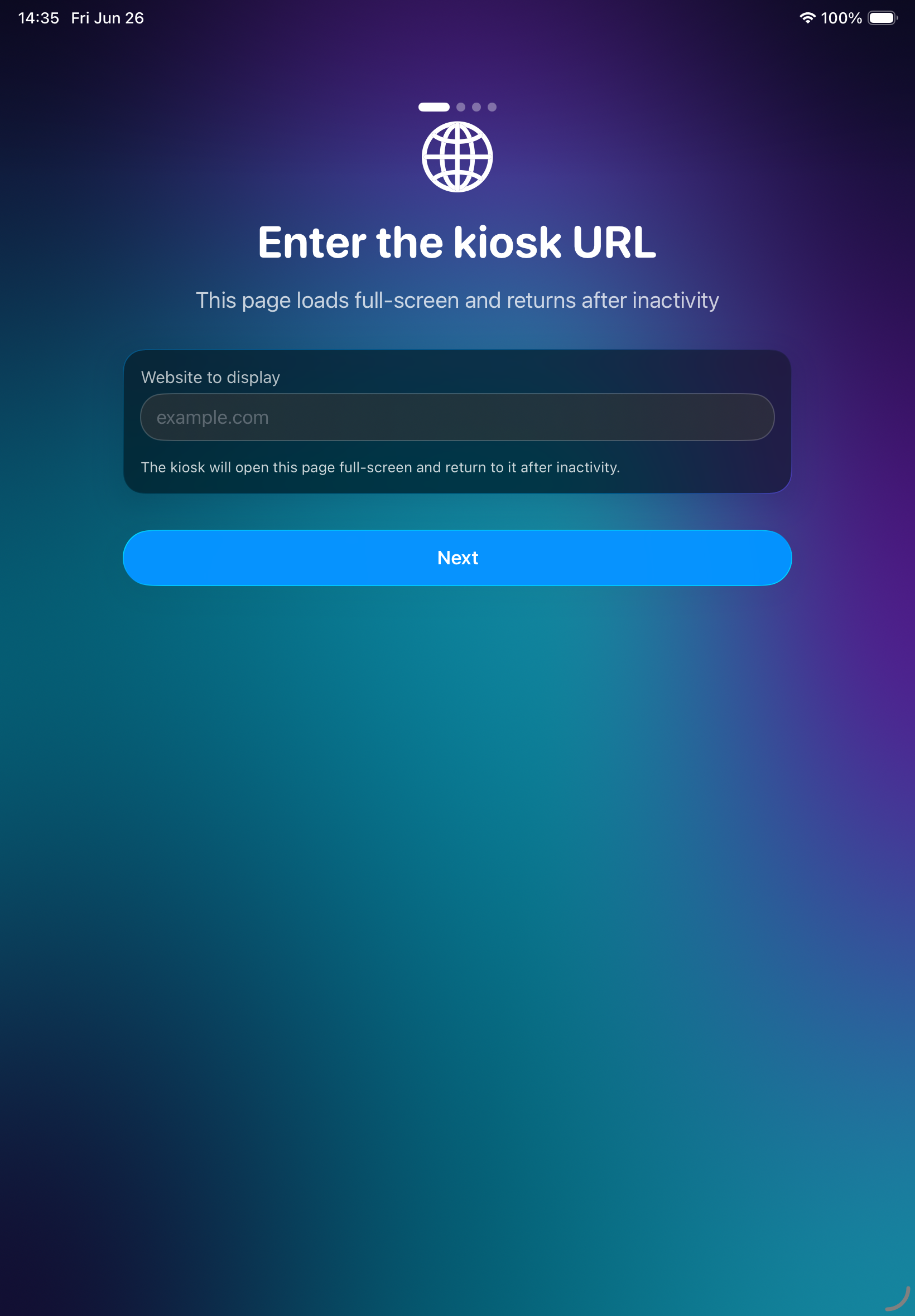
Open NeatKiosk and type the website you want to display. It loads full-screen.
Set the lockdown options
Choose your idle reset time, add URL allow/deny rules, and set an admin PIN.
Lock the device
Turn on Guided Access (or MDM Single App Mode) and walk away. To get back in, hold the top-left corner and enter your PIN.
FAQ
Frequently asked questions
Is NeatKiosk really free?
Yes. NeatKiosk is completely free with no in-app purchases, no subscriptions, and no upsells. Every feature, including URL filtering and PIN-protected settings, is included at no cost.
How do I lock an iPad to one website?
Install NeatKiosk, enter the website URL, set an admin PIN, then start the kiosk. The iPad displays that site full-screen, URL allow/deny lists block navigation away, and idle auto-reset returns to the home page and clears web data between visitors.
Does NeatKiosk collect any data?
No. NeatKiosk has no accounts, no backend, no analytics, and no tracking. Everything runs on-device and nothing is sent off the device or shared with anyone.
What devices does NeatKiosk support?
NeatKiosk runs on iPad and iPhone with iOS or iPadOS 17 or later. It supports Guided Access, MDM Single App Mode, and Managed App Configuration.
Is NeatKiosk a good free alternative to Kiosk Pro?
Yes. NeatKiosk offers URL allow/deny lists, PIN-protected settings, and idle auto-reset for free, whereas Kiosk Pro paywalls URL filtering and password protection and has discontinued its long-running free tier.
How is NeatKiosk different from Guided Access?
Guided Access locks the iPad to the app but knows nothing about web pages. NeatKiosk adds URL allow/deny lists, idle auto-reset that clears web data, PIN-protected settings, and MDM configuration. You can use both together. Learn more →
Can NeatKiosk keep the screen on and turn it off at night?
Yes. NeatKiosk locks the display to full brightness and keeps it awake while running. You can also set a daily blackout window (e.g. 22:00–08:00) that dims the screen to black to save power overnight, then restores it automatically. iOS has no API to truly power the screen off, so this is a scheduled blackout; a tap wakes it until idle.
Download NeatKiosk — free
Free, private, and no upsells. Now on the App Store for iPad & iPhone.
Download on the App StoreFeature request, or using NeatKiosk somewhere interesting? We'd have no way to know — tell us at support@wakesys.com.